
Skip to content
What causes motion sickness in VR Motion sickness in VR How to prevent motion sickness in VR

Motion Sickness in VR: What Causes It and How to Prevent It

Visiofy
Visiofy

VR sickness

Overview

Architects and homebuilders often struggle to communicate spatial design to clients who can't interpret 2D floor plans or static renderings. Visiofy solves this by turning 3D architectural models into immersive, walkable virtual spaces. This blog explains how Visiofy improves communication at every stage of the sales and design journey—from first contact to final approvals—making it easier to close deals, align expectations, and reduce costly misunderstandings.

 This article explains what motion sickness in VR is, why it happens, and how it can be prevented. It also highlights why Visiofy’s walkable virtual spaces typically avoid motion sickness altogether—making them ideal for architectural presentations, home sales, and client communication. 

Motion sickness in VR can be common for some people but is not inevitable. Learn what causes VR sickness, how to prevent it, and why stationary VR spaces like Visiofy rarely cause discomfort. 

What Is Motion Sickness in VR?

Motion sickness in VR, often called virtual reality sickness (VR sickness) or cybersickness occurs when your brain receives conflicting signals from your eyes and inner ear. Your eyes perceive movement inside a virtual environment, but your body remains physically still, creating sensory confusion.

This is a well-documented challenge in immersive VR experiences, especially those involving artificial movement, fast navigation, or low frame rates.

Why Does VR Cause Motion Sickness?

According to Varjo and other VR hardware manufacturers, VR motion sickness is usually caused by one or more of the following factors:

  • Artificial locomotion (moving with a joystick instead of physically walking)
  • Low or inconsistent frame rates
  • Latency between head movement and visual updates
  • Unnatural camera movement
  • Incorrect scale or perspective
  • Long exposure sessions

How to Prevent Motion Sickness in VR

If you are using traditional VR headsets, these best practices can significantly reduce discomfort:

1. Maintain High Frame Rates

Low frame rates are one of the biggest triggers. Professional-grade hardware and optimized environments are essential.

2. Reduce Artificial Movement

Teleport-based navigation is generally better tolerated than smooth joystick movement.

3. Keep Sessions Short

New users should start with brief sessions and gradually increase exposure.

4. Avoid Sudden Camera Motion

Fast turns, acceleration, or vertical movement increase sensory conflict.

5. Ensure Correct Scale

Incorrect proportions in architectural models can subconsciously confuse spatial perception.

Why Visiofy Rarely Causes Motion Sickness in VR 

Visiofy does support immersive VR headsets, but its experience is intentionally designed to minimize discomfort and make VR accessible to as many users as possible.

The Environment Is Stationary

In Visiofy, the house or building does not move. There are no moving platforms, animated camera paths, or artificial environmental motion.

Movement Is Optional, Not Mandatory

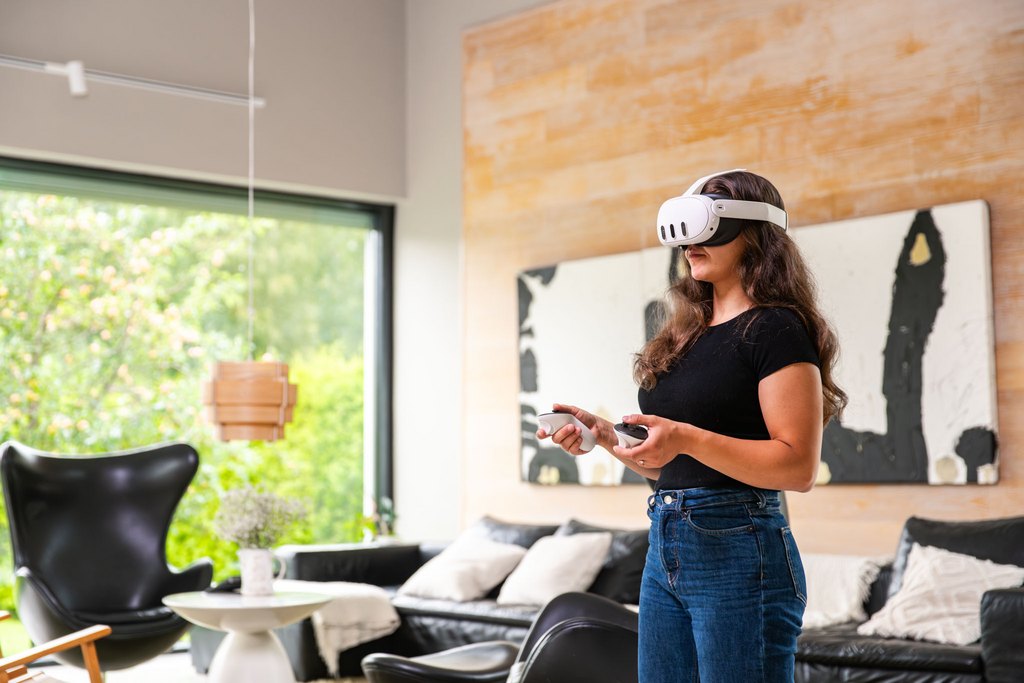
Users can explore the space without moving at all. Simply standing still and looking around is often enough to understand layout, scale, ceiling height, window placement, and spatial relationships.

Comfort-Optimized Locomotion

When movement is used, it is intentionally designed for comfort.

Visiofy uses snap turning instead of smooth rotation. While snap turning can feel slightly “choppy,” it is a deliberate design choice. Continuous camera rotation is one of the most common triggers of VR motion sickness. By avoiding smooth, constant motion and replacing it with incremental turns, Visiofy significantly reduces sensory conflict.

This comfort-first approach prioritizes user well-being over cinematic smoothness.

No Artificial Acceleration

There are no sudden speed changes, forced animations, or rapid transitions. Movement is slow, controlled, and user-initiated.

Realistic Scale and Perspective

Architectural models maintain correct real-world proportions, helping the brain interpret the environment naturally and reducing disorientation.

Designed for Client Comfort, Not Gaming

Visiofy is built for architectural presentation and home sales—not fast-paced gaming experiences. Every design decision supports clarity, realism, and physical comfort.

Optional VR, Not Mandatory

While Visiofy can be experienced in VR if desired, it is not designed around headset-first navigation. This makes it accessible to clients who are sensitive to VR motion sickness. 

When VR Motion Sickness Is Most Likely

Motion sickness is more common when:

  • Users must walk continuously with controllers
  • Camera movement is automated
  • Scenes include fast turns or elevation changes
  • Hardware performance is inconsistent
  • Users are unfamiliar with VR

Visiofy avoids these scenarios by default.

References & further reading

Virtual reality sickness (Wikipedia)

Motion sickness in VR (Varjo)

How is VR Used in Architecture?

Visiofy as a Free VR Collaboration Tool
Frequently asked questions

Why is Visiofy comfortable in VR?

Because the environment does not move, movement is optional, and navigation is slow and controlled.

Does Visiofy cause motion sickness in VR?

In most cases, no. Visiofy is designed as a stationary VR experience, where the building does not move and navigation is optional. Users can remain completely still and simply look around, which significantly reduces the sensory mismatch that causes motion sickness. Because there is no forced movement or artificial acceleration, Visiofy is generally comfortable even for users who are sensitive to VR.

Do users need to move to understand a Visiofy space in VR?

Not necessarily. Many sensitive or first-itime VR users stay completely still or simply move their simply look around to understand the layout. Visiofy is designed to be used with the controllers by teleporting, and the teleporting has been carefully designed with the help of user feedback to minimize any motion sickness symptoms.

Does using a VR headset automatically cause motion sickness?

No. Motion sickness is mainly caused by forced or artificial movement, not the headset itself.

Can Visiofy be used without VR headsets?
 Yes it can! While Visiofy can be experienced in VR if desired, it is not designed around headset-first navigation. This makes it accessible to clients who are sensitive to VR motion sickness. 


Want the easiest start?

Enjoyed this post? Share it with someone who'd love it too!